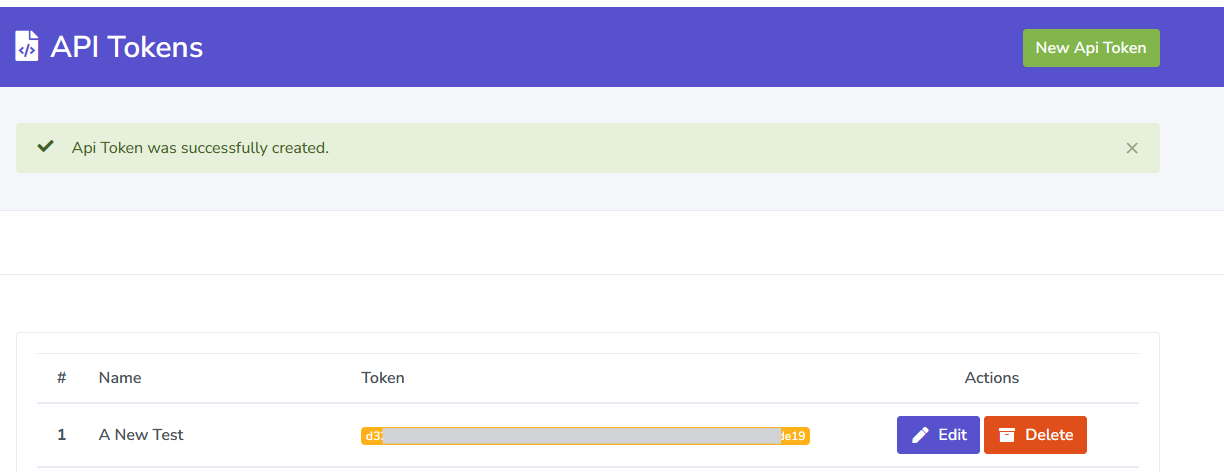
API tokens can be created to interact with the DMARC Report application without using the product user interface. This feature is available to all Appsumo accounts and also to higher-tiered monthly subscription plans.
Documentation for using the API is found at https://docs.dmarcreport.com/
To create an API Token:
1. Log into DMARCReport then click your username in the top navigator to open the drop-down menu for your user information. Choose 'API Tokens' from the list to go to the API Tokens screen.

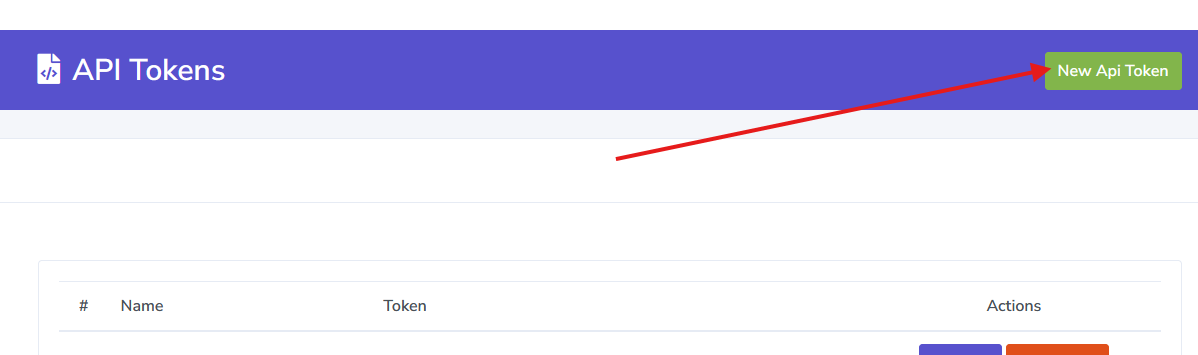
2. Click the 'New Api Token' button.
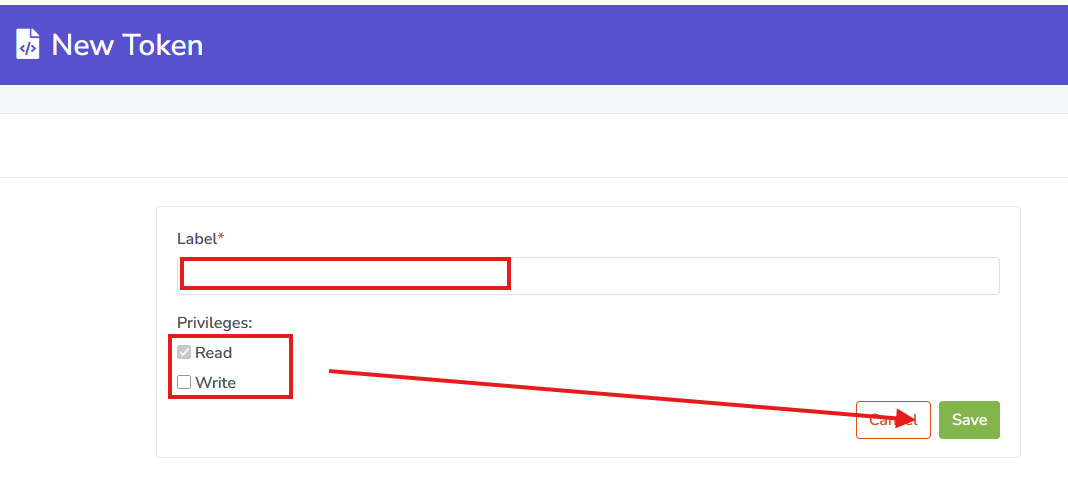
3. Choose a Label for the API Token which will be used to identify it within the list of Tokens. Select the Privileges it should be assigned then click the Save button.
4. The newly-generated token will be displayed and is ready for use.